The product
What do I actually get?
A video in which your photos flow into one continuous movement: photo to photo, year to year, all the way to today. It isn't a slideshow or a collage. Every transition is created especially for you.
What occasions is it for?
Bar and bat mitzvahs, birthdays at any age, milestone birthdays (30, 40, 50, 80 and beyond), silver and golden wedding anniversaries, grandparents' birthdays – really any celebration with years of story behind it.
How many photos should I send?
As many as you have – dozens is fine. You choose a length, and we pick the strongest photos for it from everything you sent. In the example above, 12 photos were sent and 7 were chosen for the film.
Control and editing
Can I set the order of the photos?
Yes. Jessie suggests a timeline, and you get a link to an editor where you can drag photos to a new spot, swap a photo or remove it. Nothing is created until you've approved the order.
How much control do I have?
At every step: you choose the name and the length, approve the order, see a free demo before you pay, and at the end you can fix each transition separately in the Transition Studio.
What if one transition isn't quite right?
Open the Transition Studio, watch each transition on its own and tap “Change”. A new take is created and the film is stitched together again automatically. Every take is kept, and going back to an earlier take is free.
What is the free demo?
Before you pay, Jessie creates one transition from your film for free, with a watermark. That way you see the style and quality on your own photos, then decide whether to go ahead with the full film.
Payment and delivery
When do I pay?
Only after you've seen and approved the timeline. Sending photos, choosing the length and building the story cost nothing.
How is the price set?
By the length of the film – that is, how many photos go into it. Every package includes a number of changes for fixing transitions, and you can add more in the Transition Studio if you need them.
How long does it take?
The demo arrives within a few minutes. Once you approve, all the transitions are created and the full film arrives in the chat. No need to wait by the screen – Jessie messages you when it's ready.
What quality will the film be?
The film is sent straight to WhatsApp. If it's too big for WhatsApp, you'll get a lighter version in the chat along with a full-quality download link, valid for 30 days. Tip: send your photos in HD for the sharpest result.
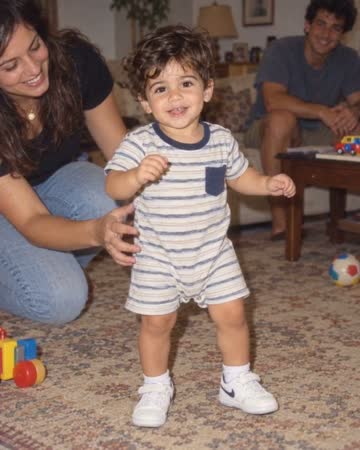 Baby
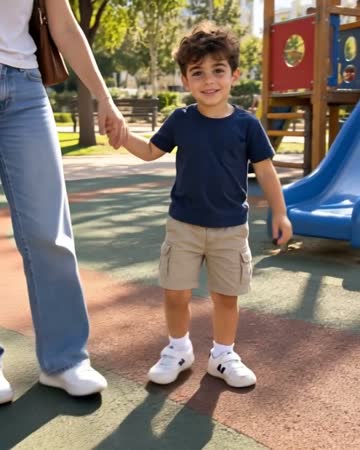 Age 2
 Age 4
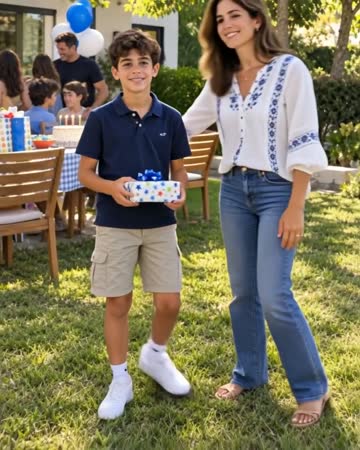 Age 7
 Age 10
 Today